AURA: <size> <one or more modifiers separated by a comma>
The modifiers used by AV include shape, color, and custom aura types defined using the free companion extension Aura Customizer. The modifiers can be given in any order, however, if multiple of the same type of modifier are used, one will be selected by FG and the duplicates ignored. Full details on Aura Customizer are covered [Here.](https://bookstack.mattekure.com/books/cop-auras/page/aura-customizer "Aura Customizer") While this extension aims to be fully compatible with the Aura Effect extension, this document does not cover all the aura modifiers that extension includes. For full documentation please refer to the [Aura Effect page](https://forge.fantasygrounds.com/shop/items/32/view). The examples below are shown in the 5E ruleset which defaults to a standard 5' grid.Auras are always drawn on top of tokens. This is a limitation of Fantasy Grounds and cannot be changed by the Author. It is recommended that any custom Auras used, be transparent in the middle area so that it does not cover the token.
### Aura Size Aura size is defined as a number following the AURA effect tag. The default behavior is to draw the circle aura with the radius of the aura being the aura size from the edge of the token. The actual size of the aura drawn on the map is also affected by other modifiers covered below. **Example:** On a map with a 5' grid, drawing a size 10 aura around a medium token the effect would beAURA: 10
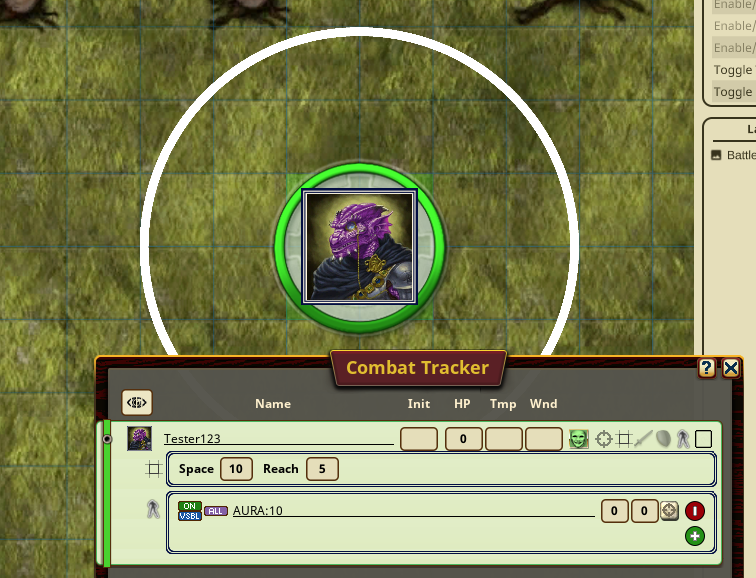
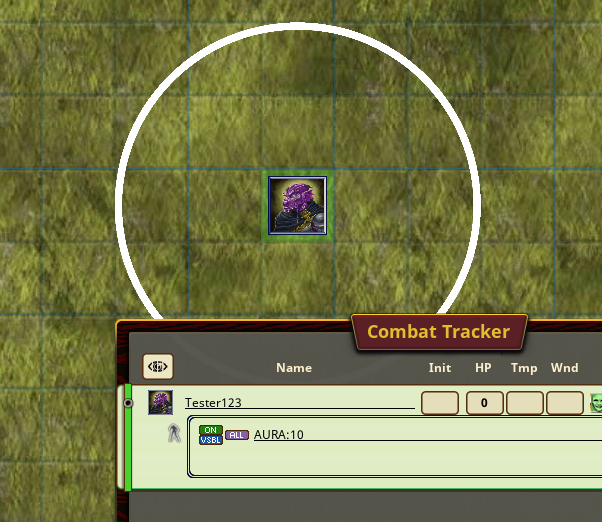 **Example:** On a map with a 5' grid, drawing a size 10 aura around a large token the effect would be the same, but the aura is drawn outside the larger space.AURA: 10
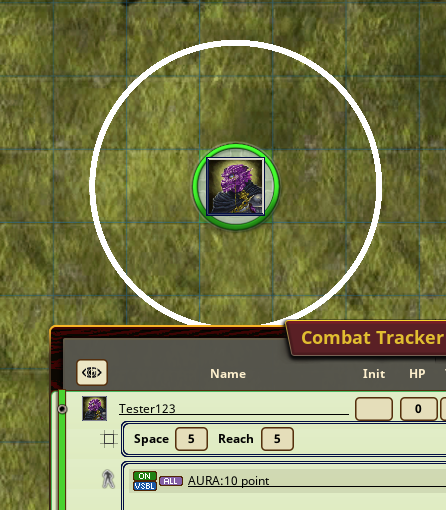
 ##### ##### Aura Point There is a special modifier, "point" which modifies the size of circle auras. While the default behavior of circle auras is to draw the size from the outer edge of a token, when the modifier "point" is used, the aura radius is instead drawn from the center point of the token. The "point" modifier has no effect on the size of square auras. **Example:** On a map with a 5' grid, drawing a size 10 point aura around a medium token the effect would beAURA: 10 point
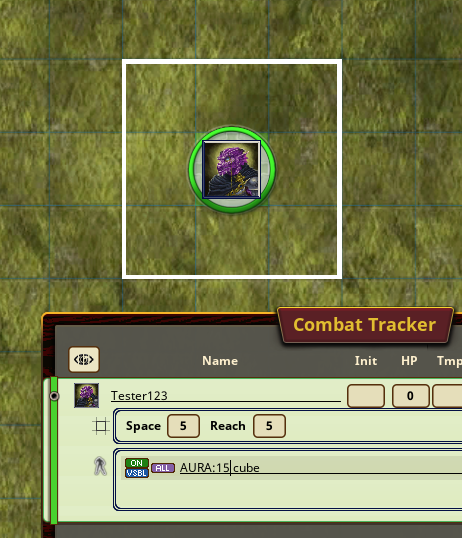
 #### ### Aura Shape Auras may be drawn as circles or squares. The default aura shape is a circle and no modifier is required. To change the shape of an aura to a square, the modifier "cube" is added to the effect. While circular auras are drawn with the size of the aura being the radius of the circle, square auras are drawn with the size of the aura being the length of each side. **Example:** On a map with a 5' grid, drawing a size 15 square aura around a medium token the effect would beAURA: 15 cube
 ### Aura Color Auras can be drawn in any color. The default color for all auras is opaque white. To designate the color of an aura, you can add as a modifier either one of the predefined color names, or the colors hex code. ##### Color Hex Code Colors may be designated using their color hex code. The color is represented by 8 hexidecimal digits which define the colors Red, Green, Blue, and Transparency (Alpha) components. Hexidecimal numbers are represented using the digits 0-9, A-F and each color is represented in the format AARRGGBB. AA = Alpha (transparency). 00 for completely transparent, FF for completely opaque. All predefined colors use 80 as the transparency level to provide some transparency, while still making the aura easily visible. RR = Red GG = Green BB = Blue This lookup chart can be used as a reference to find specific colors. [https://www.rapidtables.com/web/color/RGB\_Color.html](https://www.rapidtables.com/web/color/RGB_Color.html) Use the code given in the Hex column, but without the # symbol. Be sure to add a value for the alpha as well to the beginning. **Example:** The color "medium violet red" has the Hex code of #C71585. The first example shows how to make an aura of this color fully opaque. The second example shows an aura with the same color, but with partial transparency.AURA: 10 FFC71585
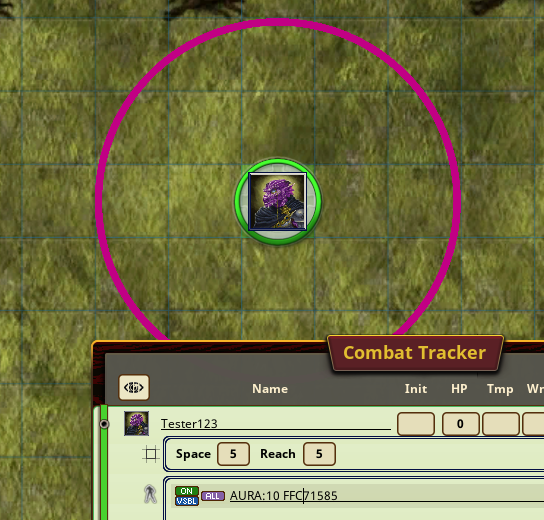AURA: 10 80C71585
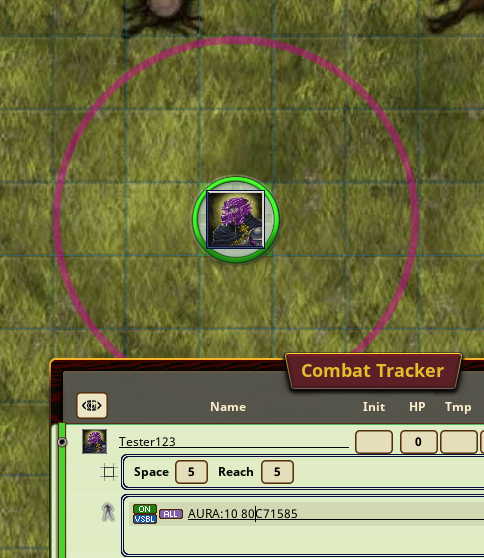 ##### Predefined colors The following color names are predefined and may be used directly as modifiers. Each color has a predefined transparency of "80". The name of the color may be used as the aura effect modifier. - black - white - red - lime - blue - yellow - cyan - magenta - silver - gray - maroon - olive - green - purple - teal - navy - orange - pink **Example:** A cyan auraAURA: 10 cyan
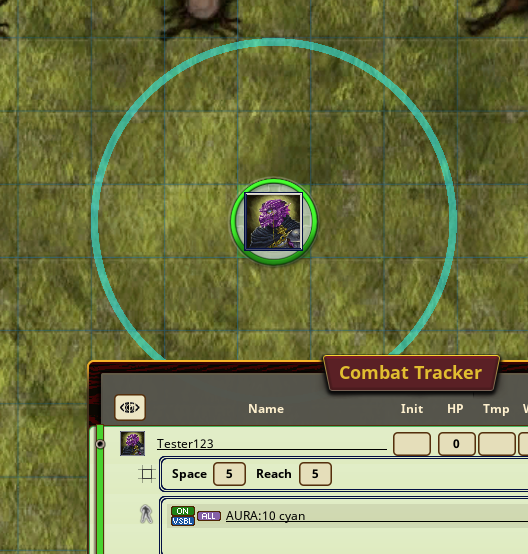 # Custom Auras With the release of version 3.0, it is now possible to easily define your own custom aura images within Fantasy Grounds, and using your own image assets. This eliminates the need for the separate Aura Customizer extension which has been deprecated. To define or change an aura, open the Options window, and click the Auras button.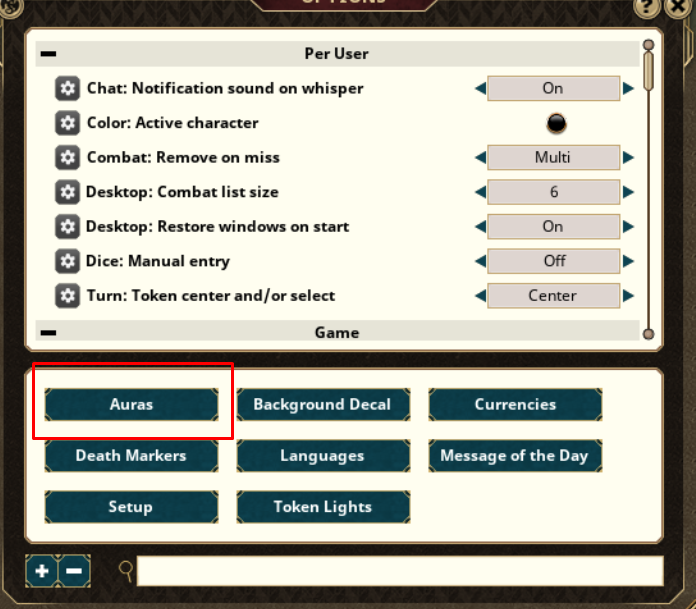 Click the + button to create a new blank aura. 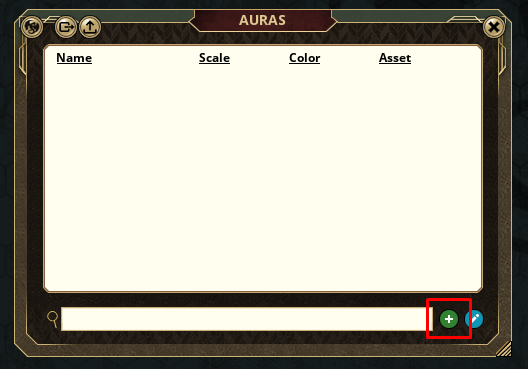 #### Name the Aura Each aura must have a unique name which adheres to the following rules. The aura name can be any combination of letters and numbers. No spaces or special characters are allowed. If you type in a name including a space or special character, it will be automatically removed from the name. The aura name must not be any of the following reserved keywords "all, ally, enemy, foe, friend, neutral, none, cube, point, self, notself". These words have special meaning within the Aura extension and cannot be used. All names are case insensitive. This means the extension will treat "octo", "Octo", "OCTO", and "oCtO" as the same. If there are duplicates, the extension will pick the first one it matches with. #### Scale the Aura Custom aura images may not always be drawn to the expected size on screen due to the presence of empty transparent space at the edges of the image. The Scale field is used to increase or decrease the drawn aura to better represent the actual aura effects dimensions. The value of the Scale field is a % of the actual drawn aura size. The default value is 100 which means to draw the image at the exact size of the stated aura effect, even if this results in the visual of the graphic not reaching all the way to the expected size. For example, in the following image. The token has two auras drawn at size 15. The white ring aura represents the actual size that FG calculates the aura at. The image being used for the test aura however, has transparent space around it, making the image appear to not fill the space out to the edge. 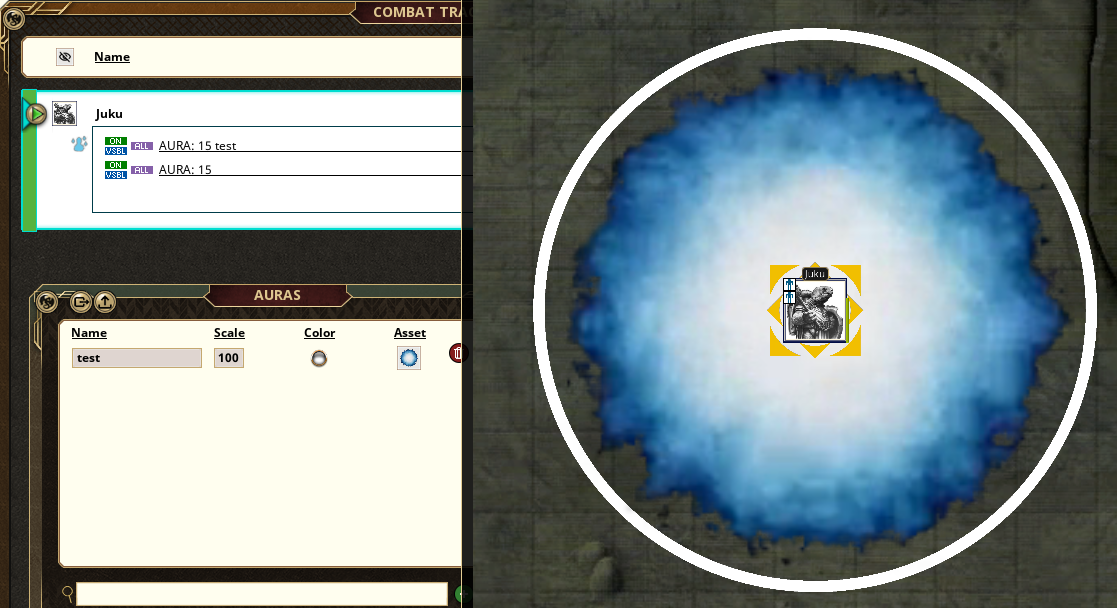 By adjusting the scale slightly, we can make the image fit right to the edge of where it should be. [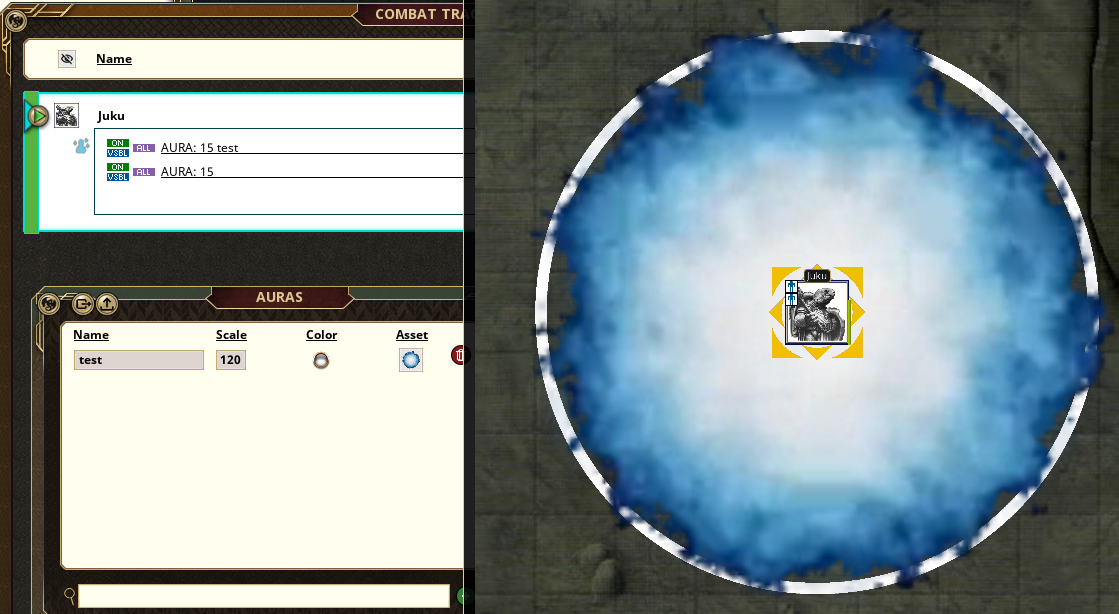](https://bookstack.mattekure.com/uploads/images/gallery/2025-03/6Xvimage.png) #### Select the color Click on the color selector to designate a color that will be used as a mask to the aura image. The Default color is fully opaque white. In the color selector, you can change the color and/or change the transparency to be used. The transparency will apply to the aura image selected. 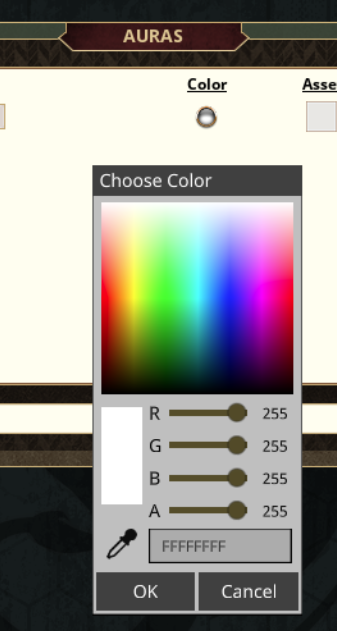 Example. In this example, there are two auras, each using the exact same image asset. The only thing different is the selected color. For cloud1, I use RGB value of all white, and add a slight transparency. 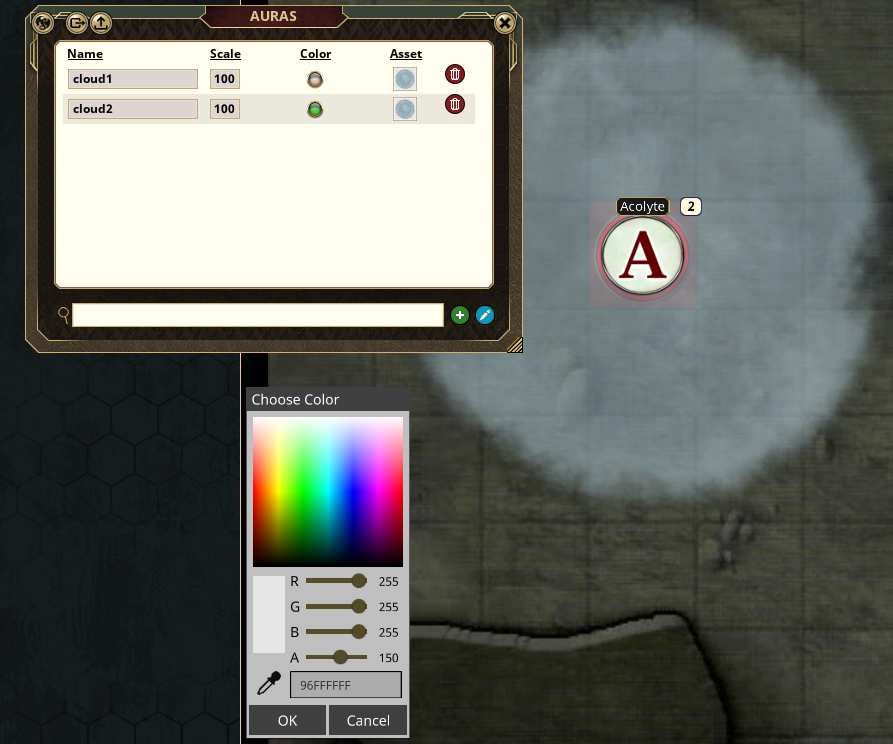 For cloud2, I have set the color to a greenish hue with the same level of transparency. The result is a greenish overcast on top of the default cloud image. 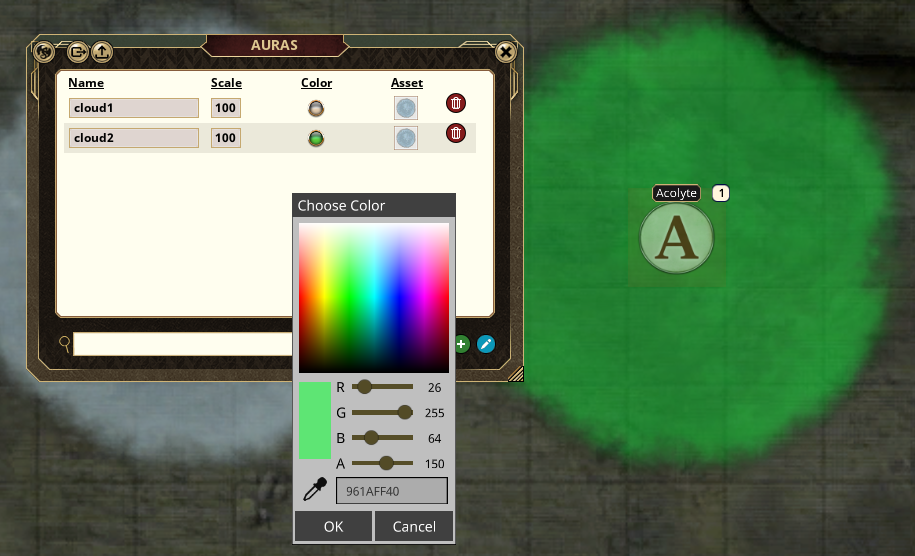 Final result. 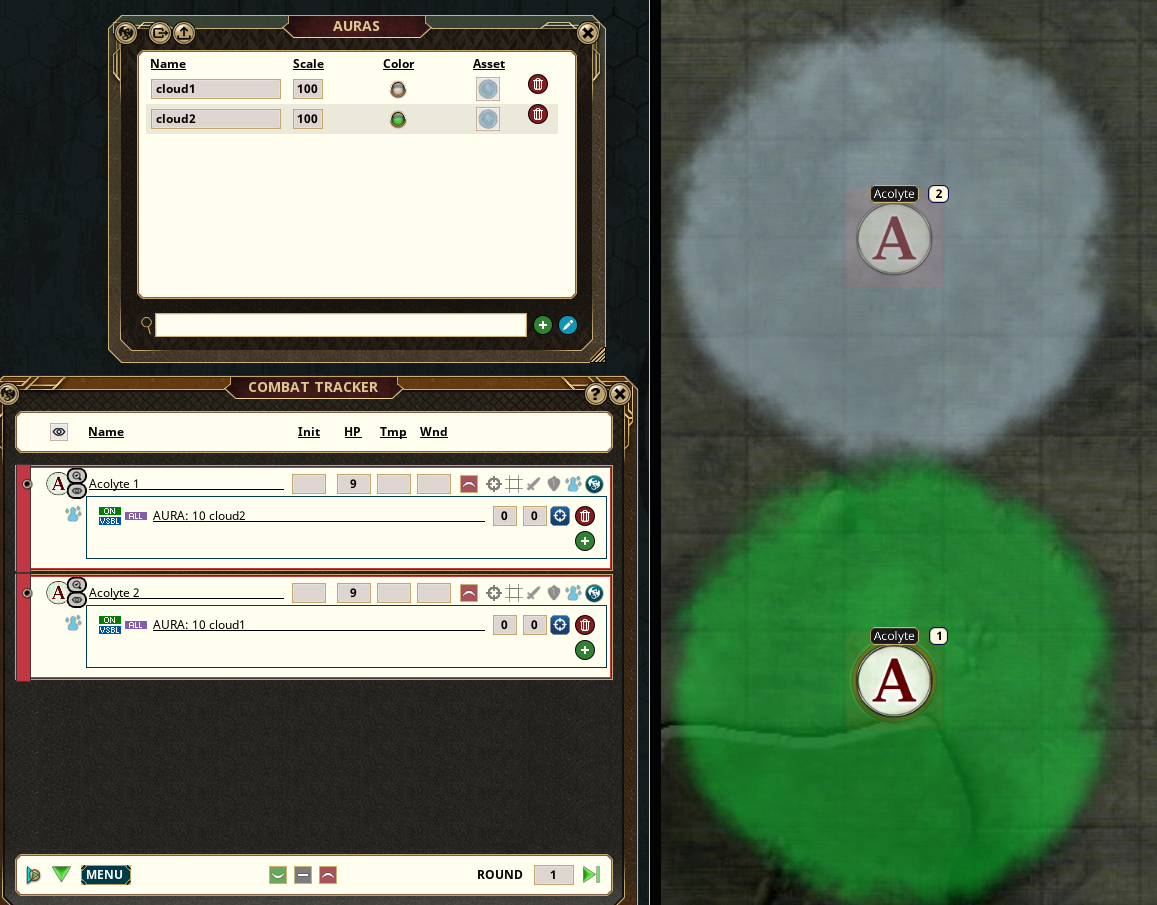 In this way, many interesting, different looking auras can be created with the same base image asset. #### Select the Asset To add an aura image, open the Assets window. Find the asset you wish to use. For convenience, all of the graphic assets included with the deprecated Aura Customizer extension, have been included as a module. You can also use any other asset you might wish, including animated webm graphics. 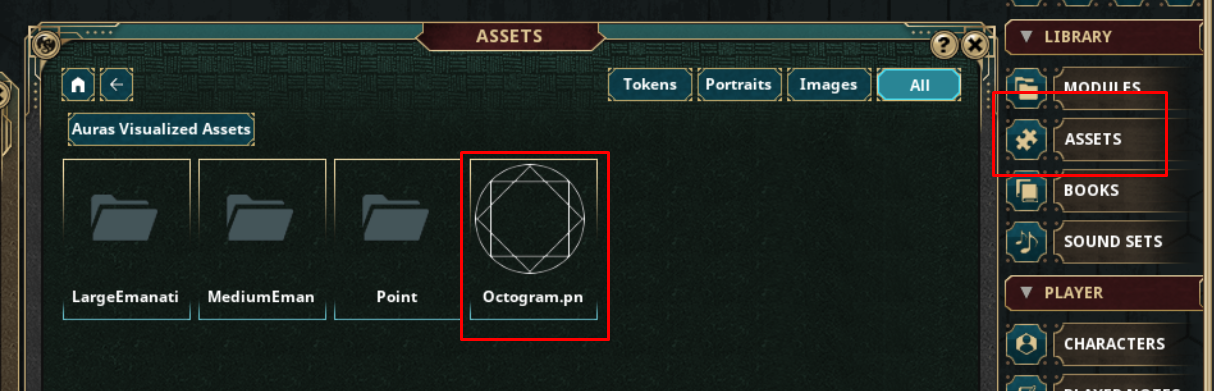 Drag the Asset you wish to add to the Asset field. 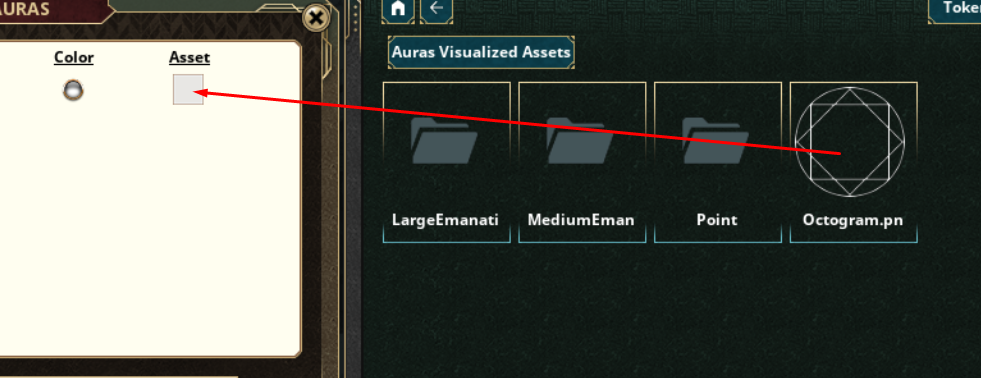 Here is my resulting example. A green octogram aura with the name "abc" 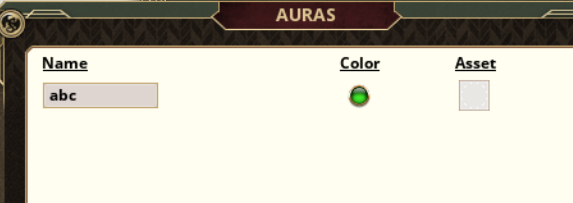 #### Using the custom aura To use the custom aura, define the AURA effect and use the name of the aura after the range. For example, using my "abc" aura defined above, it would look like 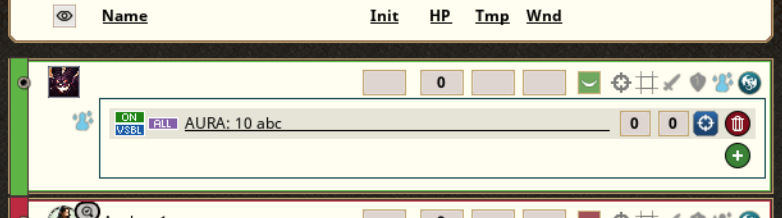 The resulting Aura on the map would appear like this [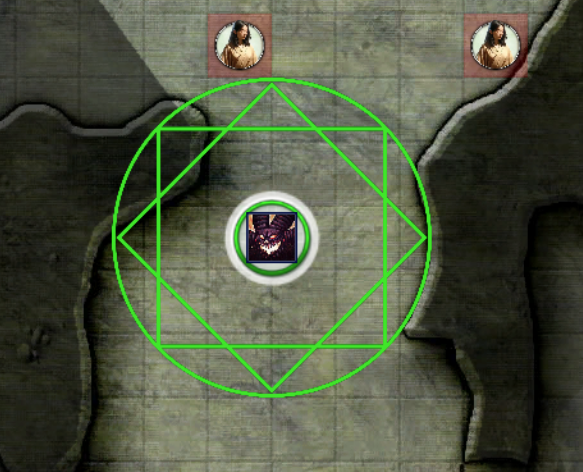](https://bookstack.mattekure.com/uploads/images/gallery/2025-02/xKAimage.png) # Import / Export Version 3.3 of Auras Visualized added the ability to import/export the defined custom auras which allows you to easily transfer the auras to other campaigns. The import/export process does not copy the image files itself, only the information specific to the auras, and the paths to their images. It generally will not work to share the export with other users unless they have the exact same images, stored in the exact same folder structure in Fantasy Grounds. The Import/Export buttons are located in the menubar along the top. 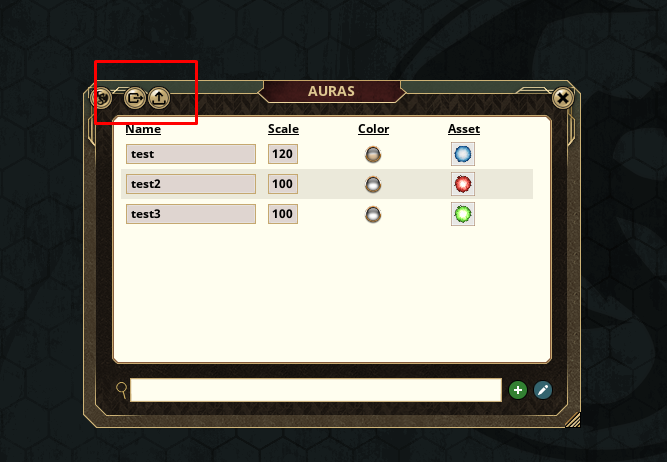 #### Export Click the Export button to export all defined auras. 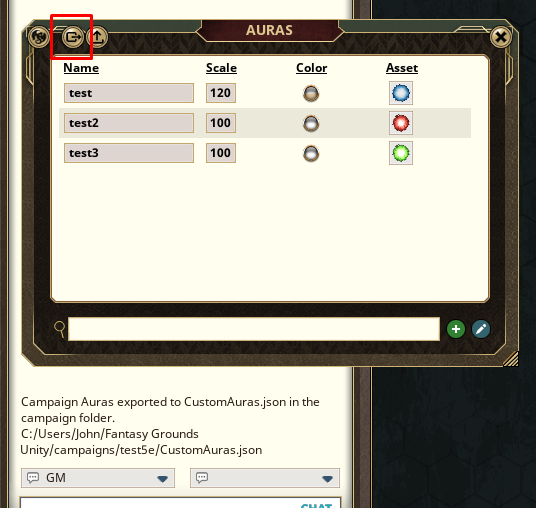 When the export is complete, a message will appear in chat. The export process will create a CustomAuras.json file located within the Campaign Directory of the currently loaded campaign. Copy this file to any other campaign folders where you would like to import. 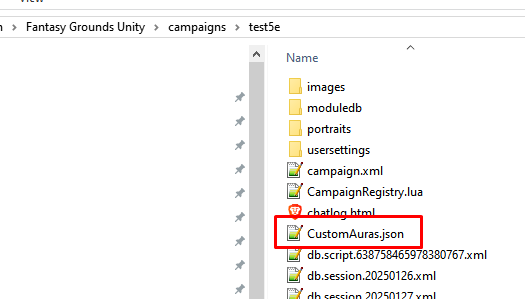 #### Import To import auras, make sure to have the CustomAuras.json file in the campaign folder you wish to import into. Load the campaign and click the import button. A message will be displayed showing how many auras were imported. 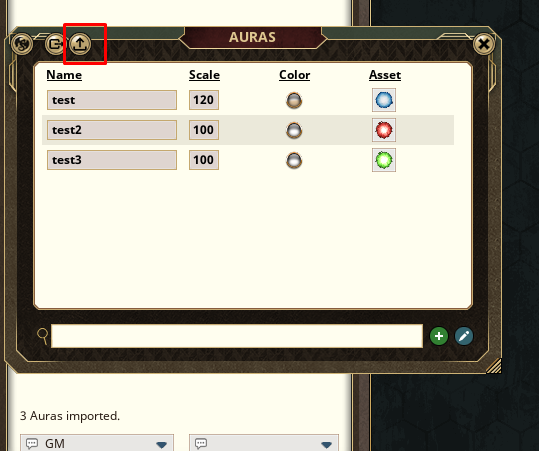 If there is no CustomAuras.json file in the Campaign data folder, an error will be displayed. 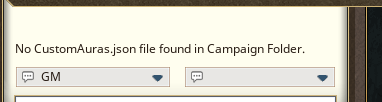 # Aura Customizer (deprecated) The Aura Customizer extension is a free, optional enhancement to the Auras Visualized extension. This extension is intended to be edited by the user, and so is not packaged in the traditional .ext format. Aura Customizer can be downloaded at the link below. The reason this extension is not offered on the forge is that any changes made to the forge product could be overwritten by the FG update process. One of my favorite art packs that contains many images that work well is the Dungeons and Dragons 5e spell tokens pack by G Jensen. Get the art files here: [DUNGEONS AND DRAGONS 5e Spell Tokens 2.1](https://www.dmsguild.com/product/195599/DUNGEONS-AND-DRAGONS-5e-Spell-Tokens-21?affiliate_id=712946) For easy setup, I have included instructions and the files in the **Spell Tokens Setup** section below. #### Download and Install Download the extension zip file **[https://mattekure.com/overrideExts/AuraCustomizer.zip](https://mattekure.com/overrideExts/AuraCustomizer.zip).** Extract the zip directly to the Fantasy Grounds ***extensions*** folder. This should create a new folder "AuraCustomizer" in the ***extensions*** folder that contains the files. 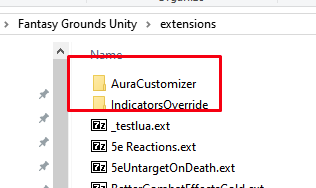 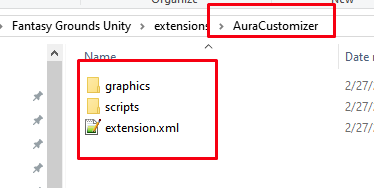 #### Adding a new custom Aura Use the following process to add new aura images. Copy the new Aura Image into the graphics folder. Using a text editor such as notepad++ (recommended), open the AuraCustomizer/graphics/graphics\_auras.xml file for editing located in the graphics folder. 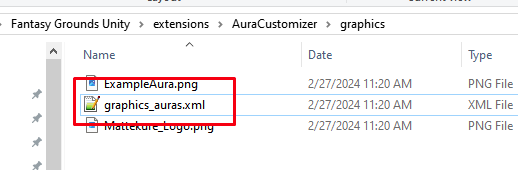 Copy and paste the icon example line. Then edit the newly created line. Change the **file=** section to point to the newly added image. Change the **name=** section to give your new aura a unique name. The name must begin with "AURA\_" and the name should consist of only letters. No spaces, numbers, or special characters. [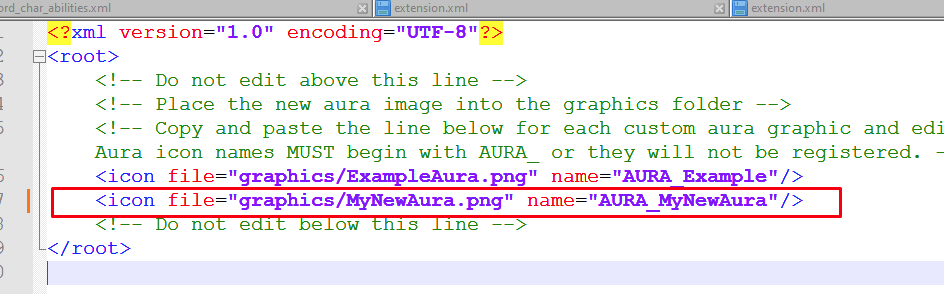](https://bookstack.mattekure.com/uploads/images/gallery/2024-02/eQrimage.png) Using a text editor such as notepad++ (recommended), open the AuraCustomizer/scripts/AuraCustomizer.lua file. 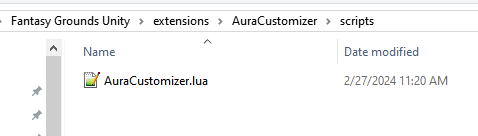 Copy and paste the example line, then edit the newly created line. Change "example" to be a new unique name that will identify your specific aura image. The name should consist of letters only, it should contain no spaces, numbers, or special characters. This name will be used for the Aura Effect as a modifier.**DO NOT** use any of the existing modifier words including color names, "cube", "point" or any of the modifiers defined by the Aura Effect extension. Also do not use any word which could be interpreted as an 8 character hexidecimal number (8 characters consisting of 0-9A-F)
Change "AURA\_Example" to be the same name defined in the graphics\_auras.xml file.AuraVis.registerCustomAura("example", "AURA\_Example")
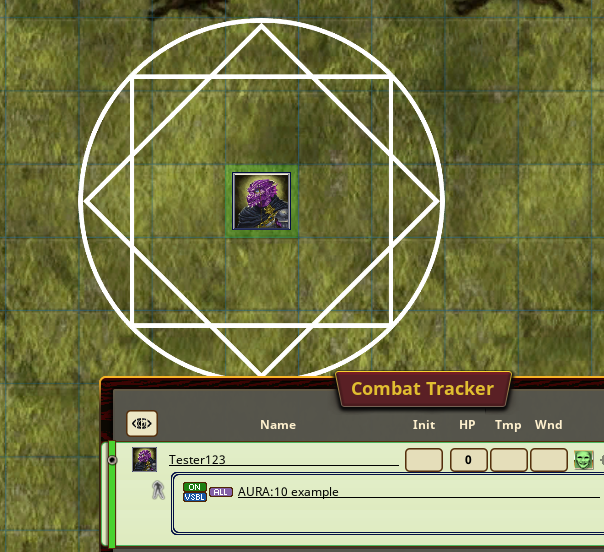
 #### Enable the Extension As with all extensions, this extension is enabled on the campaigns load screen. 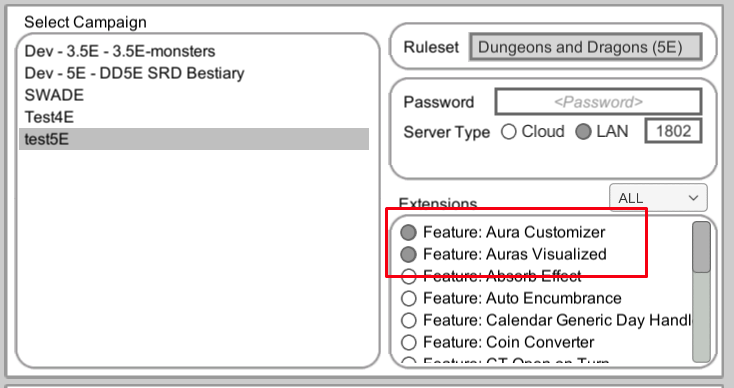 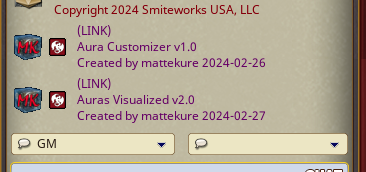 #### Using the new Aura With both the Auras Visualized and Aura Customizer extensions enabled, you can use your newly defined auras on tokens. Add the newly defined aura modifier to the AURA effect. Included in the extension is an example aura using the modifier "example".AURA: 10 octogram
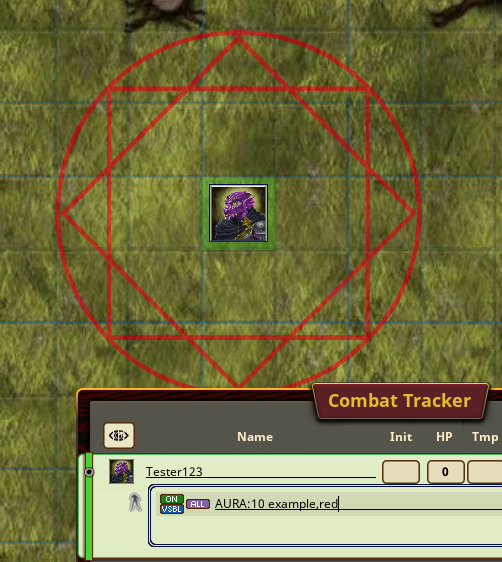
 The newly created auras can be used in the same way as the default auras, including adding color, shape, point, modifiers etc.AURA: 10 octogram,red
 ### Spell Circle Templates As of 5/31/2024, the Aura Customizer now includes some common spell templates for games using a 5' grid. This draws a spell template to show what tokens are included/excluded from the circle aura. There are templates for Point auras, Medium emanations (auras emanating from a medium size creature or smaller), and Large Emanations. Colors can be applied as with all other auras. The following are included. **Point Auras -** For point auras, your aura definition must include the point keyword. In order for a point spell template to align to the grid, the origin must be located at a grid intersection. 5' - AURA: 5 point, stp05 10' AURA: 10 point,stp10 15' AURA: 15 point,stp15 20' AURA: 20 point,stp20 25' AURA: 25 point,stp25 30' AURA: 30 point,stp30 60' AURA: 60 point,stp60 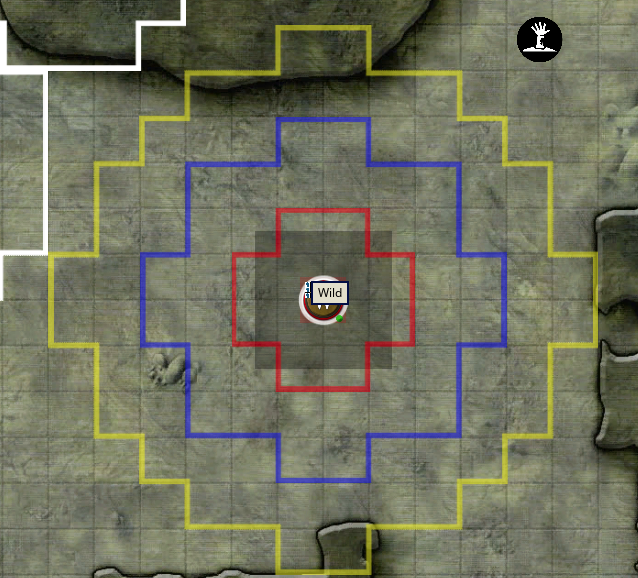 **Medium (or Smaller) Emanation** - these auras surround a medium or smaller creature. 5' AURA: 5 stme05 10' AURA: 10 stme10 15' AURA: 15 stme15 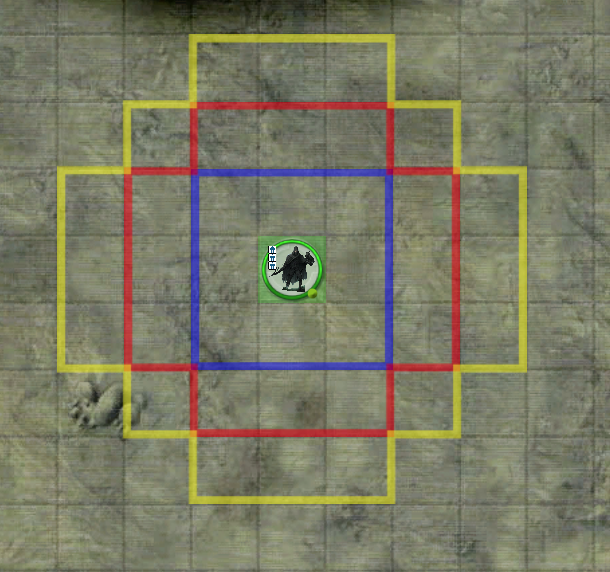 **Large Emanation -** These auras surround a large creature 5' AURA: 5 stle05 10' AURA: 10 stle10 15' AURA: 15 stle15 [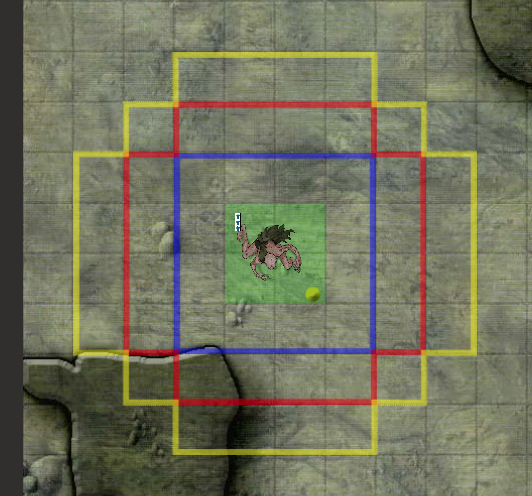](https://bookstack.mattekure.com/uploads/images/gallery/2024-05/Lzrimage.png) ### Spell Tokens Setup The instructions below are for easy setting up the Aura Customizer with the Spell tokens pack[ DUNGEONS AND DRAGONS 5e Spell Tokens 2.1](https://www.dmsguild.com/product/195599/DUNGEONS-AND-DRAGONS-5e-Spell-Tokens-21?affiliate_id=712946) 1. Download the zip file version of the spell tokens. [https://mattekure.com/overrideExts/AuraCustomizerSpellTokenVersion.zip](https://mattekure.com/overrideExts/AuraCustomizerSpellTokenVersion.zip) 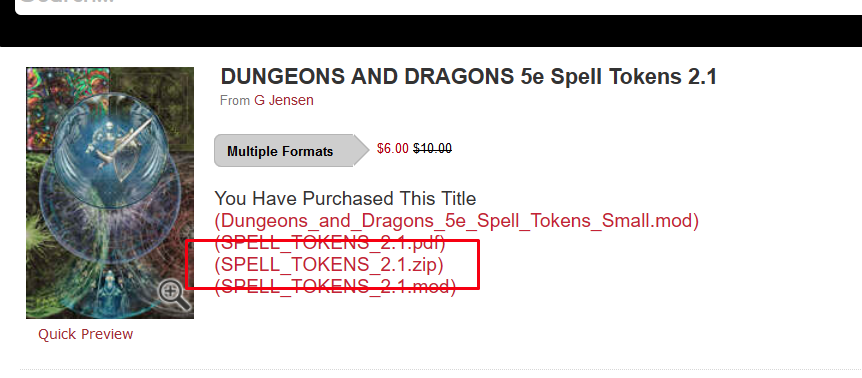 2\. Download this version of the extension As described above, extract the extension into the Fantasy Grounds Extension Folder. It should remain as a folder with all the contents inside. 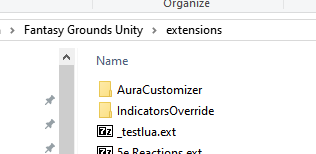 3\. Copy the graphic files from the zip file into the AuraCustomizer/graphics folder. 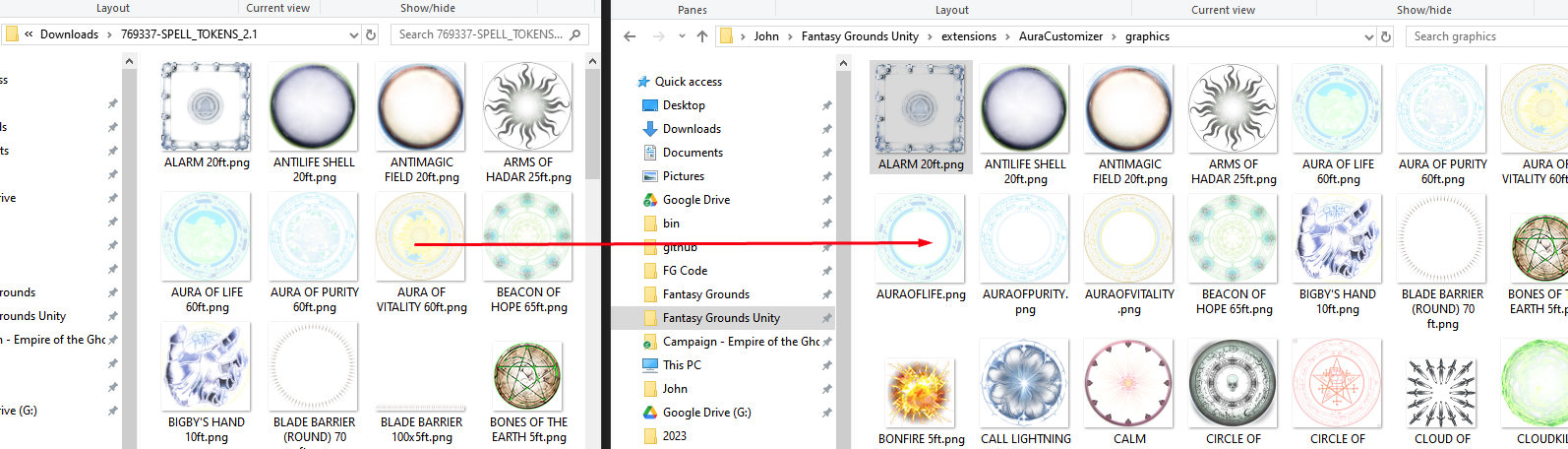 4\. Reload Fantasy grounds and enable the extension. This version does not include definitions for all spell token images as some do not make sense, such as straight line wall images. But it includes all of the obvious square/round type images.AURA: XX aurakeyword
In fantasy grounds, you can define your auras using these keywords octogram alarm antilifeshell antimagicfield armsofhadar auraoflife auraofpurity auraofvitality beaconofhope bigbyshand bladebarrier bonesoftheearth bonfire calllightning calmemotions circleofdeath circleofpower cloudofdaggers cloudkill controlwinds crownofmadness crownofstars crusadersmantle dansemacabre darkness dawn daylight delayedfireball destructivewave divinefavor druidgrove dustdevil earthbind ensnaringstrike entangle eruptingearth blacktentacles faeriefire fear fireshieldcold fireshieldhot fireball firestorm flamingsphere fogcloud forcecage gate globeinvulnerability graspingvine grease guardianoffaith hailofthorns hallow healingspirit holyaura holyweapon hungerofhadar hypnoticpattern iceknife icestorm illusorydragon immolation incendarycloud insectplague investitureflame investitureice investuturestone investiturewind tinyhut light maddeningdarkness maelstrom magiccircle magicmouth minutemeteors mightyfortress moonbeam mordfaithfulhound mordsword privatesanctum resilientsphere prismaticwall shadowofmoil shatter sickeningradience silence sleep sleetstorm snowballswarm spikegrowth spiritguardians stinkingcloud stormsphere sunburst synapticstatic templeevil templegood floatingdisc thunderwave transmuterock wallfire wallforce wallice wallthorns wallwater wardingwind waterysphere web whirlwind wrathofnature zoneoftruth