**DO NOT** use any of the existing modifier words including color names, "cube", "point" or any of the modifiers defined by the Aura Effect extension. Also do not use any word which could be interpreted as an 8 character hexidecimal number (8 characters consisting of 0-9A-F)
Change "AURA\_Example" to be the same name defined in the graphics\_auras.xml file.AuraVis.registerCustomAura("example", "AURA\_Example")
 #### Enable the Extension As with all extensions, this extension is enabled on the campaigns load screen. 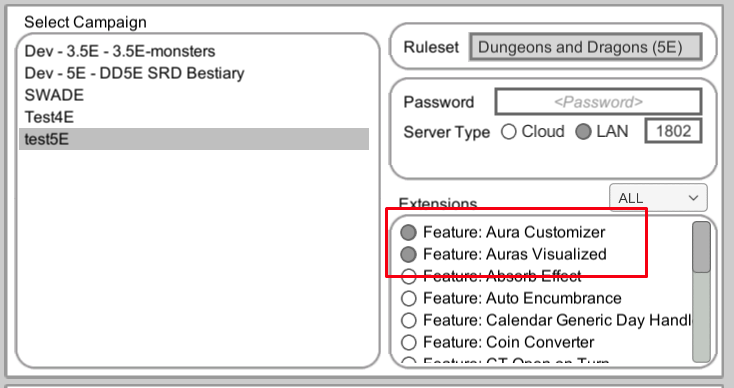 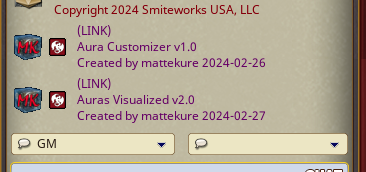 #### Using the new Aura With both the Auras Visualized and Aura Customizer extensions enabled, you can use your newly defined auras on tokens. Add the newly defined aura modifier to the AURA effect. Included in the extension is an example aura using the modifier "example".AURA: 10 octogram
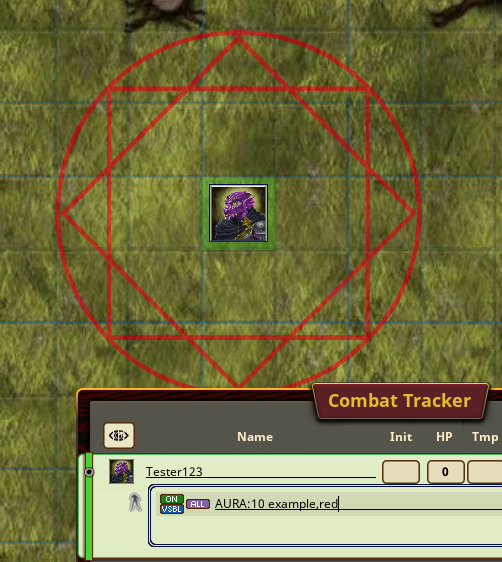
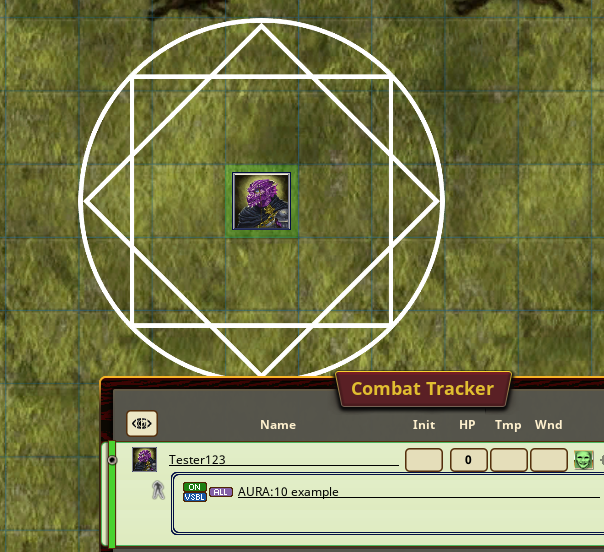 The newly created auras can be used in the same way as the default auras, including adding color, shape, point, modifiers etc.AURA: 10 octogram,red
 ### Spell Circle Templates As of 5/31/2024, the Aura Customizer now includes some common spell templates for games using a 5' grid. This draws a spell template to show what tokens are included/excluded from the circle aura. There are templates for Point auras, Medium emanations (auras emanating from a medium size creature or smaller), and Large Emanations. Colors can be applied as with all other auras. The following are included. **Point Auras -** For point auras, your aura definition must include the point keyword. In order for a point spell template to align to the grid, the origin must be located at a grid intersection. 5' - AURA: 5 point, stp05 10' AURA: 10 point,stp10 15' AURA: 15 point,stp15 20' AURA: 20 point,stp20 25' AURA: 25 point,stp25 30' AURA: 30 point,stp30 60' AURA: 60 point,stp60 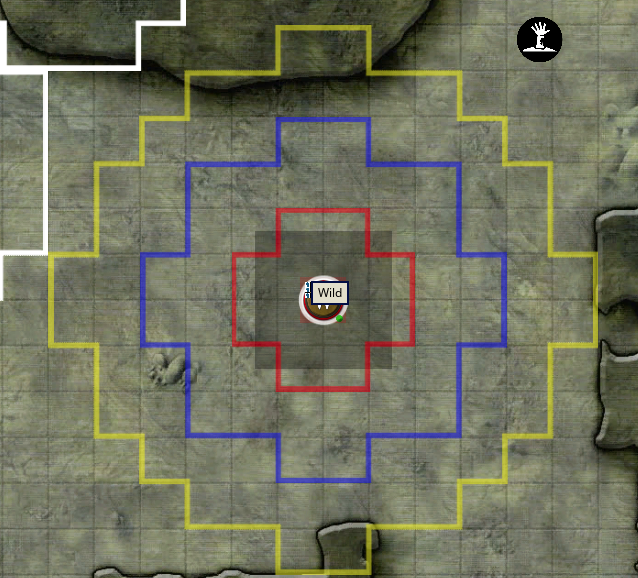 **Medium (or Smaller) Emanation** - these auras surround a medium or smaller creature. 5' AURA: 5 stme05 10' AURA: 10 stme10 15' AURA: 15 stme15 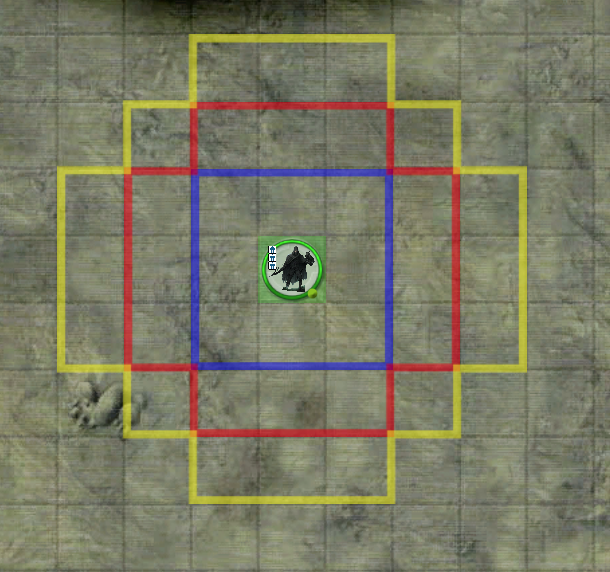 **Large Emanation -** These auras surround a large creature 5' AURA: 5 stle05 10' AURA: 10 stle10 15' AURA: 15 stle15 [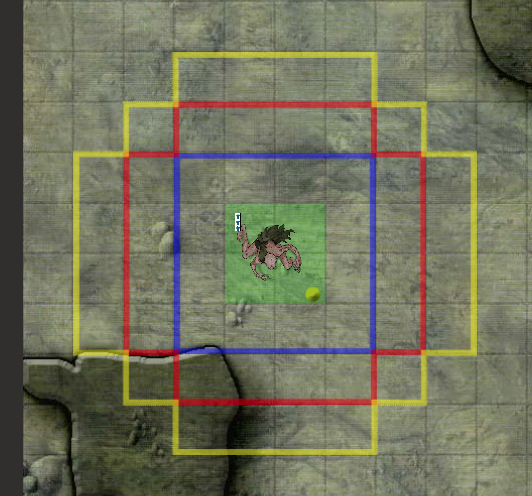](https://bookstack.mattekure.com/uploads/images/gallery/2024-05/Lzrimage.png) ### Spell Tokens Setup The instructions below are for easy setting up the Aura Customizer with the Spell tokens pack[ DUNGEONS AND DRAGONS 5e Spell Tokens 2.1](https://www.dmsguild.com/product/195599/DUNGEONS-AND-DRAGONS-5e-Spell-Tokens-21?affiliate_id=712946) 1. Download the zip file version of the spell tokens. [https://mattekure.com/overrideExts/AuraCustomizerSpellTokenVersion.zip](https://mattekure.com/overrideExts/AuraCustomizerSpellTokenVersion.zip) 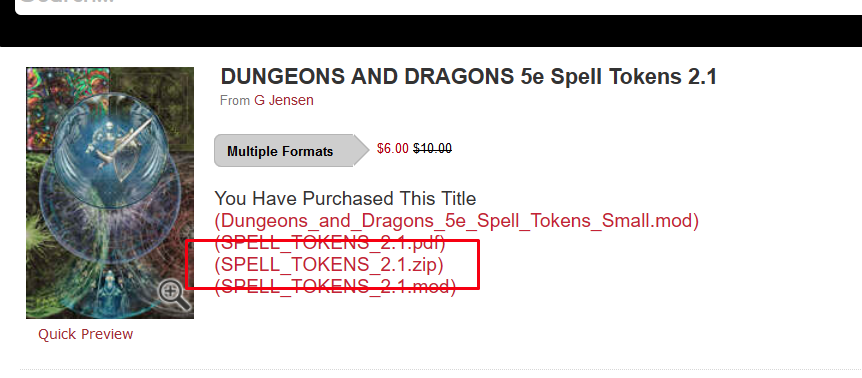 2\. Download this version of the extension As described above, extract the extension into the Fantasy Grounds Extension Folder. It should remain as a folder with all the contents inside. 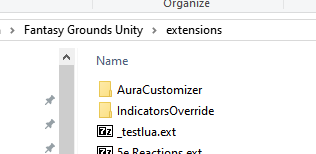 3\. Copy the graphic files from the zip file into the AuraCustomizer/graphics folder. 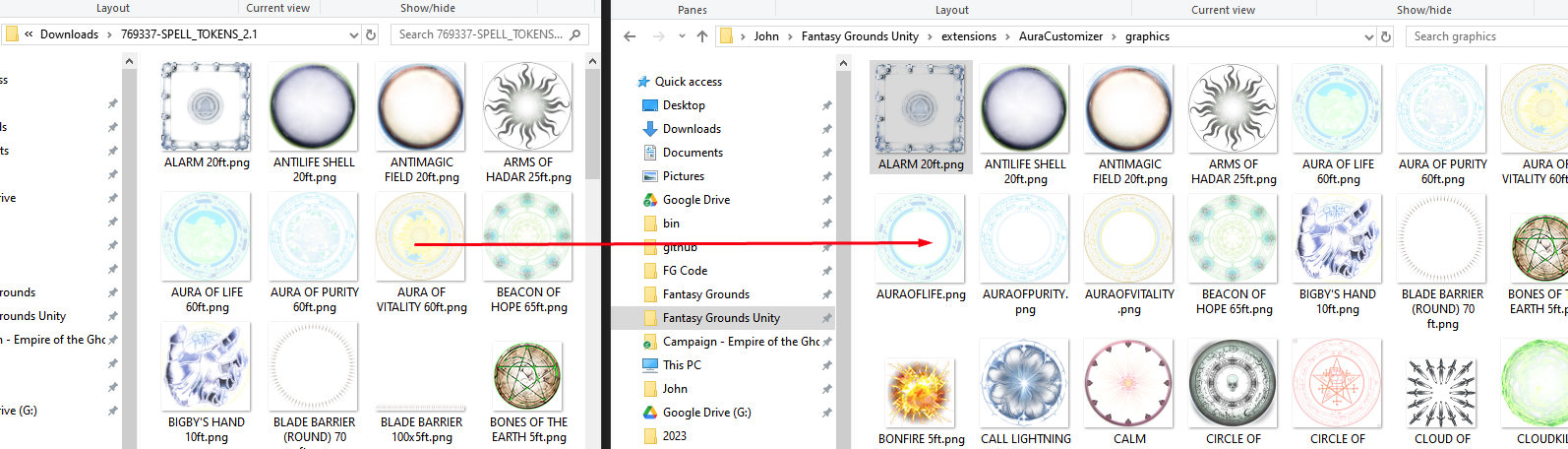 4\. Reload Fantasy grounds and enable the extension. This version does not include definitions for all spell token images as some do not make sense, such as straight line wall images. But it includes all of the obvious square/round type images.AURA: XX aurakeyword
In fantasy grounds, you can define your auras using these keywords octogram alarm antilifeshell antimagicfield armsofhadar auraoflife auraofpurity auraofvitality beaconofhope bigbyshand bladebarrier bonesoftheearth bonfire calllightning calmemotions circleofdeath circleofpower cloudofdaggers cloudkill controlwinds crownofmadness crownofstars crusadersmantle dansemacabre darkness dawn daylight delayedfireball destructivewave divinefavor druidgrove dustdevil earthbind ensnaringstrike entangle eruptingearth blacktentacles faeriefire fear fireshieldcold fireshieldhot fireball firestorm flamingsphere fogcloud forcecage gate globeinvulnerability graspingvine grease guardianoffaith hailofthorns hallow healingspirit holyaura holyweapon hungerofhadar hypnoticpattern iceknife icestorm illusorydragon immolation incendarycloud insectplague investitureflame investitureice investuturestone investiturewind tinyhut light maddeningdarkness maelstrom magiccircle magicmouth minutemeteors mightyfortress moonbeam mordfaithfulhound mordsword privatesanctum resilientsphere prismaticwall shadowofmoil shatter sickeningradience silence sleep sleetstorm snowballswarm spikegrowth spiritguardians stinkingcloud stormsphere sunburst synapticstatic templeevil templegood floatingdisc thunderwave transmuterock wallfire wallforce wallice wallthorns wallwater wardingwind waterysphere web whirlwind wrathofnature zoneoftruth